


Wireless 68% Hot-Swap Aluminum RGB Keyboard Guide
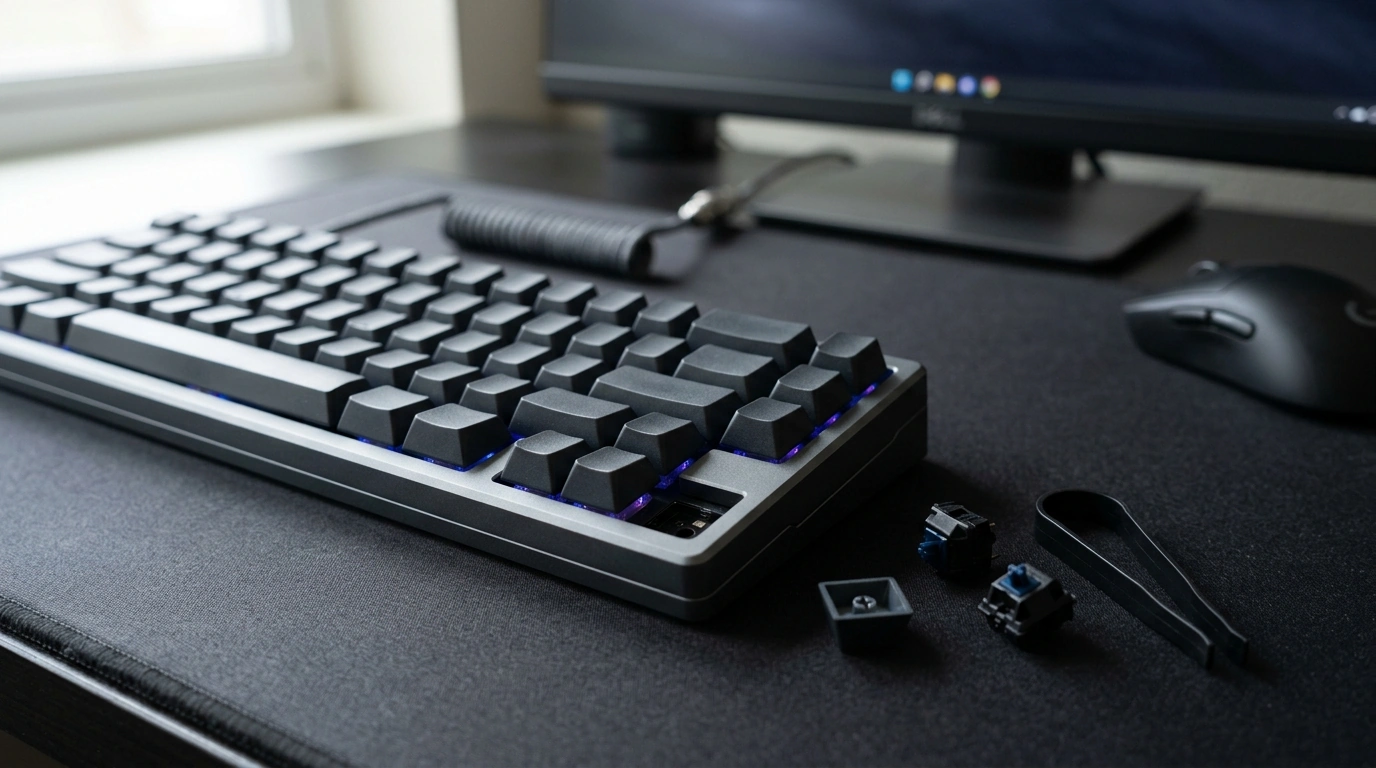
68% Hot‑Swappable Wireless Mechanical Keyboard in CNC Aluminum with RGB
A compact 68% layout paired with a CNC aluminum case delivers a solid, premium feel while keeping desk space open for mouse movement. Hot‑swappable sockets make switch changes fast and solder‑free, and wireless connectivity helps reduce cable clutter. RGB lighting rounds out the setup for gaming, late‑night work, and custom aesthetics. For more guidance, see IQUNIX MQ80 Keyboard Review.
What Makes This 68% Aluminum Keyboard Stand Out
- 68% layout keeps dedicated arrow keys and essential navigation while staying compact.
- CNC aluminum body adds rigidity, weight, and a cleaner sound profile than many plastic cases.
- Hot‑swappable design enables quick switch testing and easy replacements without soldering.
- Wireless operation supports flexible setups for gaming and productivity.
- RGB lighting supports personalized effects for games, workspaces, and low‑light use.
Layout and Everyday Ergonomics
The 68% format is a practical middle ground: it trims the footprint but keeps the arrow cluster and common navigation keys within easy reach. That matters for browsing, editing documents, and games that lean on arrows for movement or camera control. For further reading, see WOBKEY Zen 65 Wireless Mechanical Keyboard.
Because the board is narrower than full-size and many tenkeyless options, it helps keep your mouse closer to your typing position. Over long sessions, this can feel more natural—especially in tighter desk setups where mouse space is limited.
Comfort still comes down heavily to switch feel and keycap profile. Hot-swap sockets make it easier to tune the board over time, whether that means lighter switches for faster repeated presses or a more tactile option for accurate typing. If function-row shortcuts are a daily requirement, layered key mappings (when supported by your keyboard software/firmware) can bring F-keys back without adding physical width.
CNC Aluminum Case: Feel, Stability, and Sound
A CNC aluminum chassis changes the experience in ways that show up immediately. The added mass makes the keyboard feel planted, reducing sliding during intense play and minimizing chassis flex. That stability is one of the biggest day-to-day differences compared with lighter plastic cases.
Sound is more nuanced. Aluminum often reduces “hollow” resonance thanks to its rigidity and weight, but overall acoustics depend on the full build: plate material, foam, stabilizers, switches, and even the desk surface. A desk mat can soften the contact between metal and desk, cut down on vibration, and protect the finish from micro-scratches.
If sound tuning is a priority, simple upgrades like plate/case foam, a modest tape mod, and well-lubed stabilizers typically create a larger change than wireless features or lighting ever will.
Hot‑Swappable Switching: How It Helps in Real Use
Hot-swappable sockets turn switch choice from a one-time decision into an easy experiment. Instead of committing to one feel for years, you can swap switches in minutes—no soldering iron, no permanent changes.
- Try different switch types: linears for smooth gaming inputs, tactiles for clearer actuation feedback, and clickies for a crisp, audible response.
- Fix issues fast: if a key starts double-typing or missing inputs, replacing a single switch can be cheaper than replacing the whole keyboard.
- Customize gradually: test a few “hero” switches on keys you use most, then upgrade the full set later.
Before buying extras, verify compatibility (most boards use MX-style switches) and keep a few spares for quick repairs. When inserting switches, align pins carefully and press straight down to avoid bending pins or stressing the socket.
Wireless Performance for Gaming and Work
Wireless can be genuinely practical: fewer cables across the desk, easier repositioning, and cleaner multi-device setups. For gaming, the key factor is connection quality and mode. Many wireless keyboards offer multiple modes—commonly Bluetooth for convenience and a 2.4 GHz dongle mode (when available) for lower latency and stronger stability.
Bluetooth is standardized and widely supported, but performance can vary depending on your environment and device radios. For background context on Bluetooth architecture and profiles, the official specification overview is a helpful reference: Bluetooth Core Specification.
RGB Lighting: Practical Benefits and Customization
Quick Specs and Buying Snapshot
| Feature | What it means | Why it matters |
|---|---|---|
| 68% layout | Compact layout with arrow keys | More desk space while keeping common navigation controls |
| CNC aluminum case | Machined metal chassis | Stability, premium feel, and often improved acoustics |
| Hot‑swappable sockets | No-solder switch swapping | Easy customization and simple repairs |
| Wireless connectivity | Cable-free use (mode depends on model) | Cleaner setups and flexible device placement |
| RGB lighting | Custom lighting effects | Visibility and personalization; impacts battery life |
Care, Maintenance, and Simple Upgrades
Recommended Picks In Stock
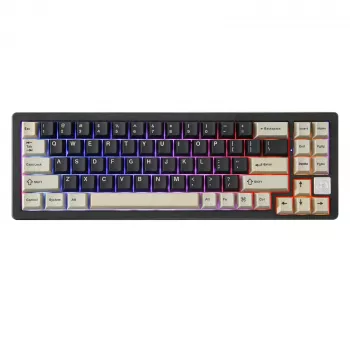
- 68% Hot Swappable Wireless Mechanical Keyboard – CNC Aluminum RGB Gaming — a compact aluminum build with hot-swap flexibility and RGB for a clean gaming/work setup.
- AI Tools for Professional Editing Guide – Complete Digital Download for Writers, Editors, Content Creators, and Designers | SEO Writing, Visual Editing & Workflow Optimization — a practical add-on for streamlining writing and editing workflows once your desk setup is dialed in.
Who This Keyboard Fits Best
FAQ
What does “hot swappable” mean on a mechanical keyboard?
It means the switches can be removed and replaced without soldering. Use a switch puller, keep the pins straight, and confirm the board supports MX-style switches before buying extras.
Is wireless good enough for gaming on a mechanical keyboard?
It can be, depending on the wireless mode and the keyboard’s implementation. A 2.4 GHz dongle mode (when available) typically prioritizes low latency, while Bluetooth is often better for convenience; keeping firmware updated and reducing interference helps stability.
Does an aluminum case make a keyboard louder?
It can change the sound profile, but it doesn’t automatically make a keyboard louder. Aluminum adds mass and reduces flex, while the final sound depends more on switches, stabilizers, plate/foam choices, and the desk surface (a mat can help).









Leave a comment