


Choosing a Hall Effect Controller for PC Gaming

What is the best controller for PC with Hall Effect?
Choose one with Hall Effect sticks, dependable Windows support, and the connection you prefer
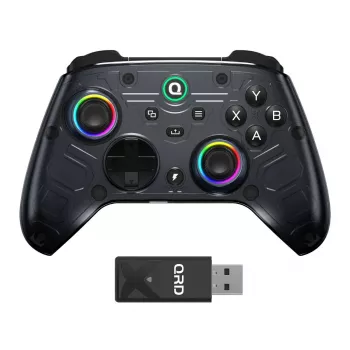
The best PC controller with Hall Effect sticks is one that combines magnetic stick sensors with reliable Windows compatibility and controls that suit the games you play. Hall Effect sensors detect movement magnetically rather than relying on the same physical contact used in conventional stick sensors. That can help reduce wear-related drift, but it does not make a controller immune to every fault or guarantee that drift can never occur.
For most PC players, start with a controller that supports XInput, the input standard used by many Windows games. Then decide whether you want a familiar Xbox-style layout, wireless play, or a wired connection. Wireless gives you more freedom, while wired play avoids battery charging and may be simpler to set up. Either way, confirm that the controller supports your preferred connection on Windows; compatibility can differ between wired, Bluetooth, and a wireless adapter.
What should you compare before choosing?
Look beyond the Hall Effect label. Compare the features that affect everyday play:
- Stick adjustment: Adjustable sensitivity, dead zones, or calibration options can help you tailor the controls to a game.
- Extra inputs: Rear buttons and remapping are useful if you want to keep your thumbs on the sticks during play.
- Connection and power: Choose wired or wireless based on your setup, and consider whether you want a rechargeable battery or replaceable batteries.
- Controls and comfort: Check the layout, trigger feel, and grip shape against the games you play and how you hold a controller.
- Software support: A controller’s configuration tools can make it easier to set profiles, adjust inputs, and update settings.
Hall Effect sticks are a strong feature to prioritize if you want to reduce the chance of drift caused by sensor wear. Still, build quality, firmware, and control tuning matter too. A well-equipped model that works smoothly with your PC is a better choice than a controller selected for its sensor type alone.
How do you narrow down your choice?
Make a short list of must-haves: Windows compatibility, your preferred connection, and any extras such as rear buttons or adjustable triggers. Then compare the available models against those needs rather than paying for features you will not use. Our Hall Effect wireless controller guide for Xbox and PC offers more help choosing a no-drift-focused controller.
FAQ
Do Hall Effect controllers need calibration?
They may need calibration or dead-zone adjustments to match your preferences or resolve an input issue. Use the controller’s configuration software or the relevant game settings when those options are available.













Leave a comment