


USB Gaming Mic Kit + Arm Stand: Clearer Voice Fast
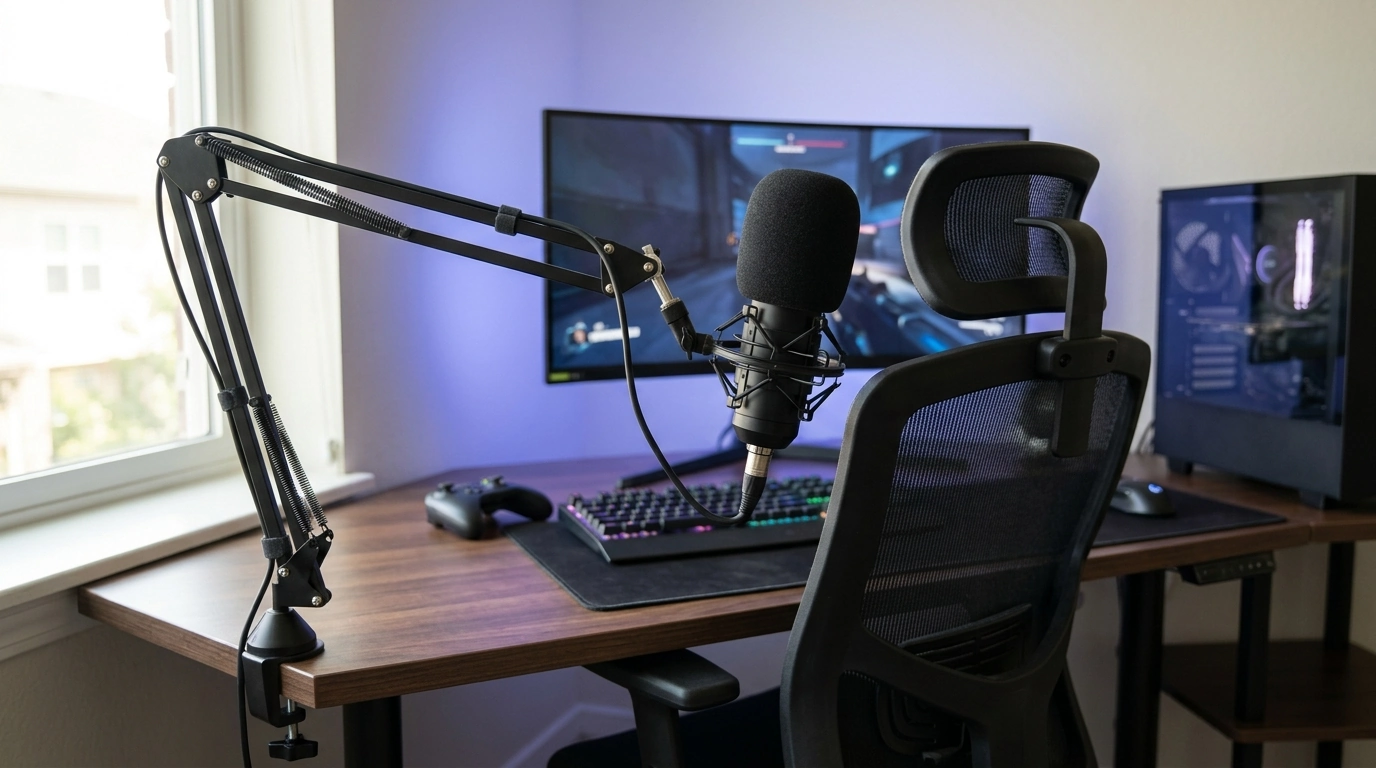
USB Gaming Microphone Kit with Arm Stand: Clean Voice, Faster Setup, Better Desk Space
A USB gaming microphone kit paired with an arm stand is built for clear voice chat, streaming, and content creation without the extra steps of an audio interface. The biggest wins are practical: tighter pickup from a consistent position, quick adjustments between games and calls, and a desk that stays open for mouse movement, keyboards, and controllers. For more guidance, see Fifine Dynamic Microphone Set With Boom Arm Stand.
What a USB microphone kit with an arm stand helps solve
For most players and creators, the “bad mic” problem is really a placement problem. An arm-mounted USB mic helps address the common issues that cause thin, echoey, or noisy voice audio. For further reading, see Dynamic Gaming Microphone with RGB Light and Arm ….
- Keeps the microphone close to the mouth for stronger vocal clarity at lower gain (often reducing room noise).
- Frees desk space compared with a tabletop stand and makes it easier to reposition for gaming, meetings, or recording.
- Supports repeatable mic placement—helpful for consistent stream or podcast audio from session to session.
- Simplifies the audio chain: USB connection typically covers power + audio in one cable for many computers.
What’s typically included in a kit like this
Most USB mic + arm stand kits are designed to get a usable setup running quickly, with accessories that reduce the most common voice issues (pops, vibration, and awkward positioning).
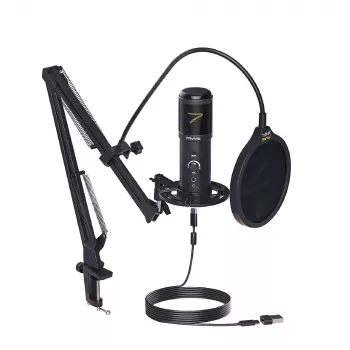
- USB microphone (primary capture device for voice).
- Arm stand (boom arm) for off-desk mounting and flexible positioning.
- Mounting hardware such as a desk clamp and/or adapter threads (common mic mount sizes vary).
- Pop filter or foam windscreen in many kits to reduce plosives (P/B sounds) and airflow noise.
- Shock mount in some kits to reduce vibration from desk bumps and keyboard taps.
- USB cable and basic documentation.
Placement fundamentals for clearer voice in games and streams
Good placement is the fastest way to make voice sound “closer” and more intelligible, even before any software filters. The goal is to capture more direct speech and less room.
- Distance: aim for close placement (often a few inches) to improve vocal detail while keeping input gain lower.
- Angle: speak across the mic rather than directly into it to reduce plosives; use a pop filter if included.
- Height: position slightly off-center and around mouth level to balance clarity and reduce breath noise.
- Noise control: keep the mic away from PC fans; point the “quiet side” toward noise sources when the mic design supports directional pickup.
- Consistency: mark a preferred arm position so the mic returns to the same spot quickly.
If voice chat sounds hollow or distant, move the mic closer first. Then reduce input gain. That one-two change typically lowers keyboard and room noise more effectively than cranking noise suppression.
Arm stand setup tips (stability, cable routing, and comfort)
A boom arm is only as good as its stability. A mic that drifts during a match or sags over time forces constant readjustment—and inconsistent audio levels.
- Clamp placement: mount on a sturdy edge where the clamp can fully grip; avoid thin glass edges or loose surfaces.
- Tension: adjust arm springs/knobs so the mic stays put without drifting; re-check after adding a pop filter or shock mount.
- Cable routing: run the USB cable along the arm with Velcro ties to reduce tugging and prevent cable noise.
- Keyboard clearance: keep the arm’s elbow joint behind the keyboard line so hand movement stays unobstructed.
- Vibration control: if desk bumps are frequent, add a shock mount (if supported) and avoid clamping to wobbly surfaces.
Computer and software setup (plug-and-play workflow)
For streaming workflows, OBS Studio is a common starting point because it offers audio filters, routing, and scene control in one place (OBS Studio official site). If voice chat apps act up, Discord’s voice troubleshooting steps can help isolate device selection, permissions, and input mode issues (Discord Voice & Video Support).
Quick checklist: what to look for when choosing settings and accessories
| Item | What to aim for | Why it matters |
|---|---|---|
| Mic distance | Close and consistent | Improves clarity and reduces room noise |
| Input level | Strong signal without clipping | Avoids distortion and harshness |
| Pop control | Pop filter or angled speaking | Reduces plosives and breath blasts |
| Noise suppression | Light-to-moderate | Removes steady noise without robotic artifacts |
| Compression | Gentle, not aggressive | Keeps voice even during intense moments |
| Arm stability | No drift; minimal wobble | Maintains consistent sound and comfort |
| Cable management | Secured along the arm | Prevents tugging and handling noise |
Best-fit use cases
Compatibility notes (PC, Mac, consoles, and mobile)
Care, maintenance, and quick troubleshooting
Recommended picks (in stock)
- USB Gaming Microphone Kit with Arm Stand — a practical all-in-one option for arm-mounted placement and cleaner voice capture without extra hardware.
- AI Tools for Professional Editing Guide – Complete Digital Download for Writers, Editors, Content Creators, and Designers | SEO Writing, Visual Editing & Workflow Optimization — useful for tightening scripts, descriptions, and show notes after recording.
FAQ
Does a USB gaming microphone kit work on PS5 or Xbox?
USB microphone support depends on the console and the specific voice/chat path being used. Check the console’s official guidance for supported USB audio devices and test in party chat or the target game’s voice settings.
How can keyboard and mouse noise be reduced with an arm-mounted mic?
Move the microphone closer to the mouth, lower the input gain, angle the mic away from the keyboard, and add light noise suppression. A shock mount and stable clamp placement can also reduce vibration transfer.
Is an audio interface needed with a USB microphone?
A USB microphone generally includes its own built-in audio conversion, so an interface is typically unnecessary. Better results usually come from improved placement, correct input level, and sensible monitoring settings.













Leave a comment